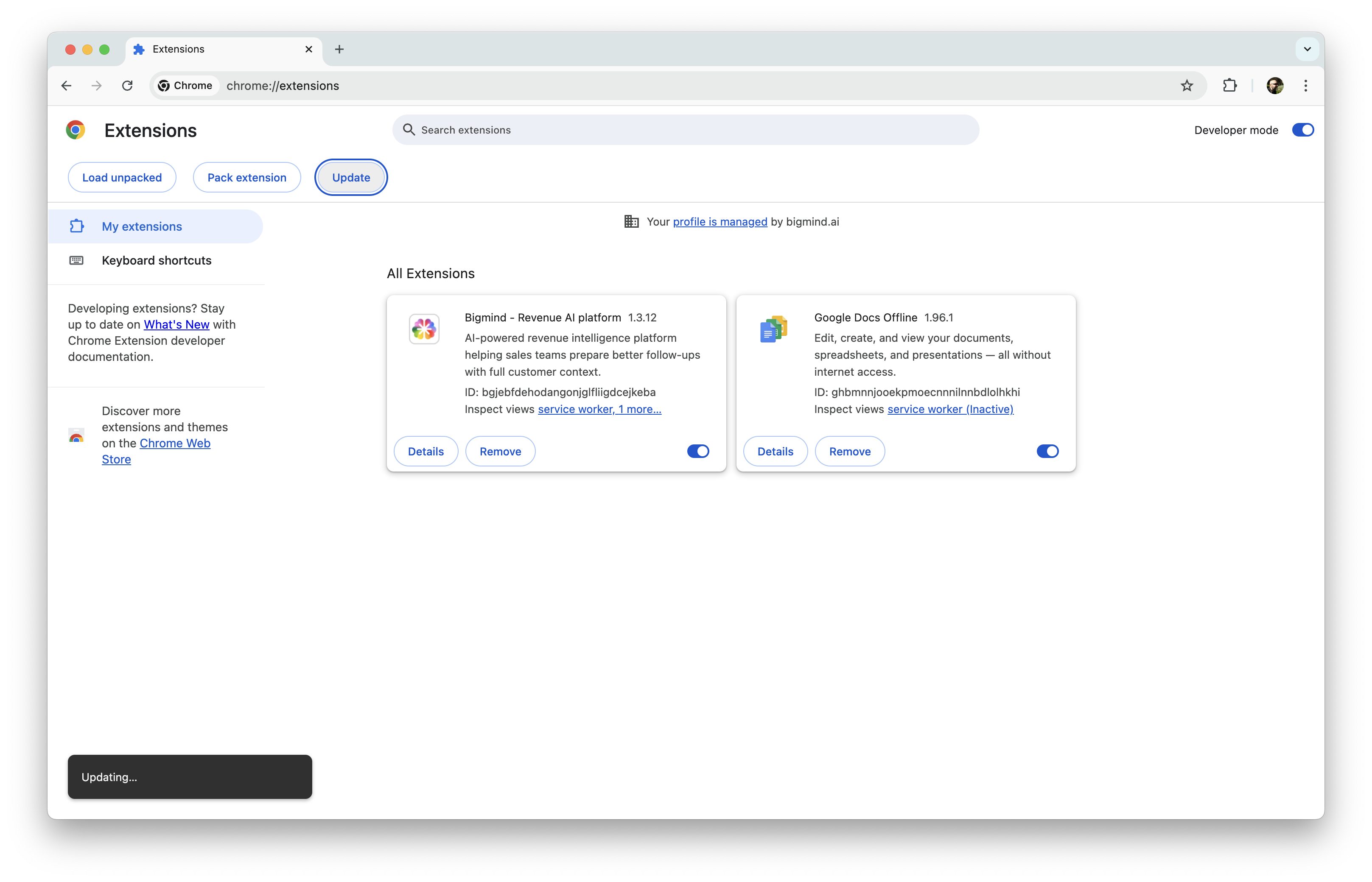
Chrome occasionally updates the Bigmind extension when a new version is available. But here is a quick guide on how to update it manually to the latest released version without having to wait for your Chrome browser to update it for you in the background.
#1. Go to Chrome's Extension overview page
Click on the three dots in the top right corner of Chrome and select "Extensions" or click here chrome://extensions/.
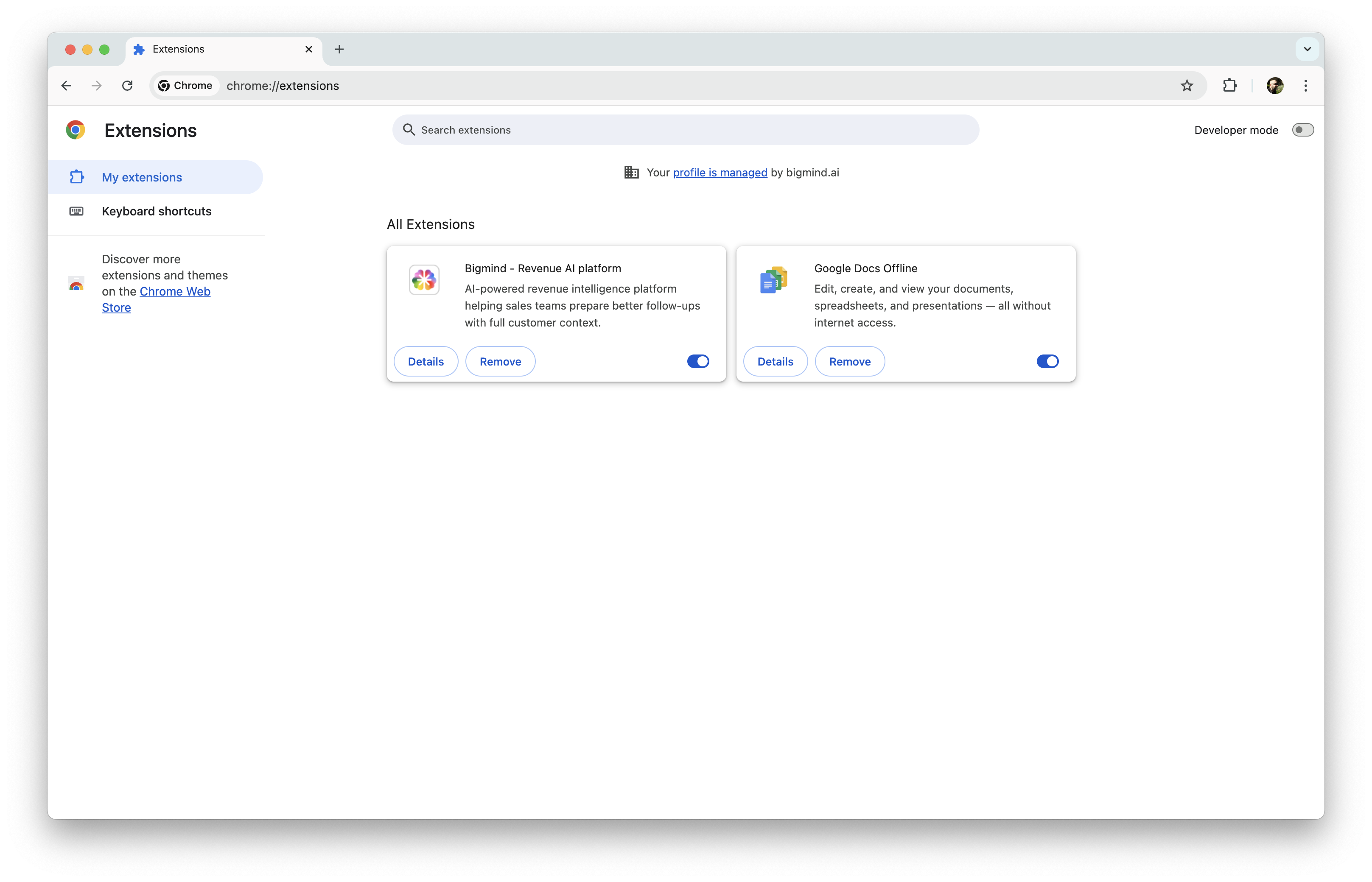
#2. Toggle Developer Mode on top right
Toggle the Developer Mode on the top right corner of the page.
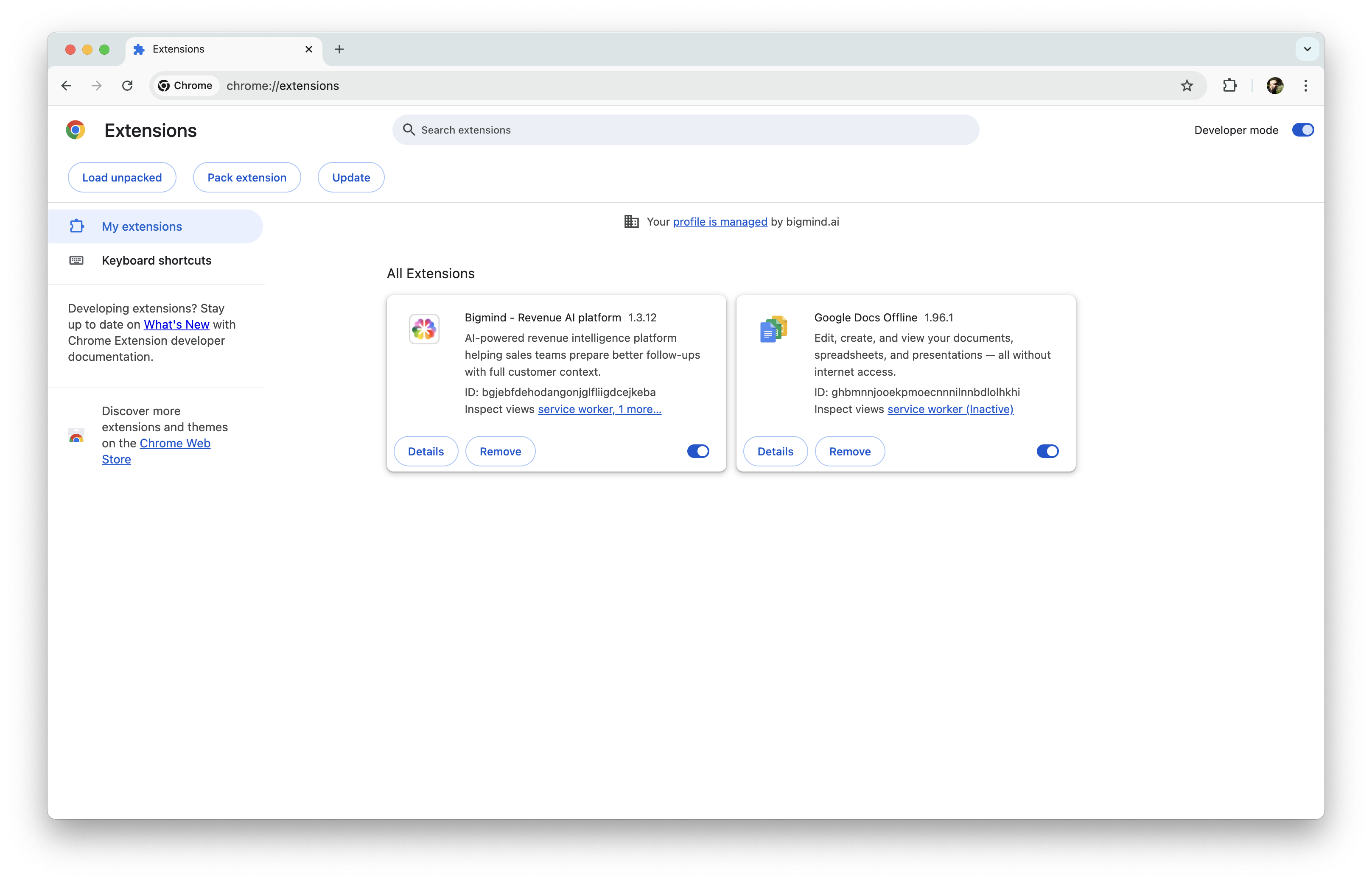
#3. Click Update
Click the "Update" button to update all extensions to their latest published versions. Confirm Bigmind has been updated to the latest version.